AI Visual Design for Digital Marketing
A practical learning system for prompting AI image generators to create professional visual assets for websites and social media — with visual examples, prompt templates, and a complete vocabulary reference.
Why this guide exists
AI image generators (Midjourney, DALL·E, Stable Diffusion, FLUX, and others) can produce professional-quality visual assets in seconds — but only if you speak their language. The difference between a generic, amateur-looking result and a polished, brand-ready asset comes down to how you describe what you want.
This guide teaches you the vocabulary, structure, and patterns for writing prompts that produce specific types of digital marketing visuals. Every example image in this guide was generated using the prompt shown beneath it.
The prompt formula
Every well-structured AI image prompt follows the same layered formula. You don’t need every layer every time, but understanding the layers gives you control.
SUBJECT + STYLE/MEDIUM + LIGHTING + COMPOSITION + COLOR + MOOD + QUALITY| Layer | What it controls | Example keywords |
|---|---|---|
| Subject | What’s in the image | ”a coffee cup on a marble counter” |
| Style / Medium | Artistic technique | ”flat vector illustration”, “oil painting”, “3D render” |
| Lighting | How light falls | ”golden hour”, “studio lighting”, “volumetric light rays” |
| Composition | Framing & layout | ”centered with negative space”, “bird’s-eye view”, “shallow depth of field” |
| Color | Palette & temperature | ”warm tones”, “pastel palette”, “navy to purple gradient” |
| Mood | Emotional feel | ”minimalist”, “energetic”, “moody”, “serene” |
| Quality | Output fidelity | ”8k resolution”, “ultra detailed”, “professional photography” |
Key principle: Be specific, not verbose. 4–6 strong descriptors beat 20 vague ones. Most models silently ignore prompts that are too long.
Layer 1: Style & Medium — the most important choice
The single biggest lever for controlling your output is naming the style or medium. This tells the AI whether you want a photograph, a vector illustration, a 3D render, or a painting.
The style spectrum
| Style category | When to use | Keywords to try |
|---|---|---|
| Photorealistic | Product shots, lifestyle imagery, headshots | photorealistic, professional photography, product photography, hyperrealistic |
| Flat vector | Icons, illustrations, social graphics, brand assets | flat vector illustration, minimalist flat design, geometric shapes, clean lines |
| 3D / Isometric | Tech illustrations, app icons, hero backgrounds | 3D render, isometric illustration, soft shadows, glossy material, low poly |
| Digital painting | Concept art, editorial illustrations, storytelling | digital painting, concept art, matte painting |
| Traditional art | Artistic campaigns, editorial, brand storytelling | watercolor, oil painting, linocut, gouache, charcoal |
| Retro / stylised | Niche campaigns, social media engagement | pixel art, retro 80s, art deco, vaporwave, memphis design |
Example: Same subject, three different styles
Here’s the same subject — a coffee cup — rendered in three completely different styles by changing only the style/medium layer of the prompt.
Style 1: Clean product photography

A single coffee cup on a clean white surface, soft studio lighting,
shallow depth of field with bokeh background, product photography style,
minimalist, centered composition with generous negative space,
warm tones, photorealistic, 8k resolution
Style 2: Flat vector illustration
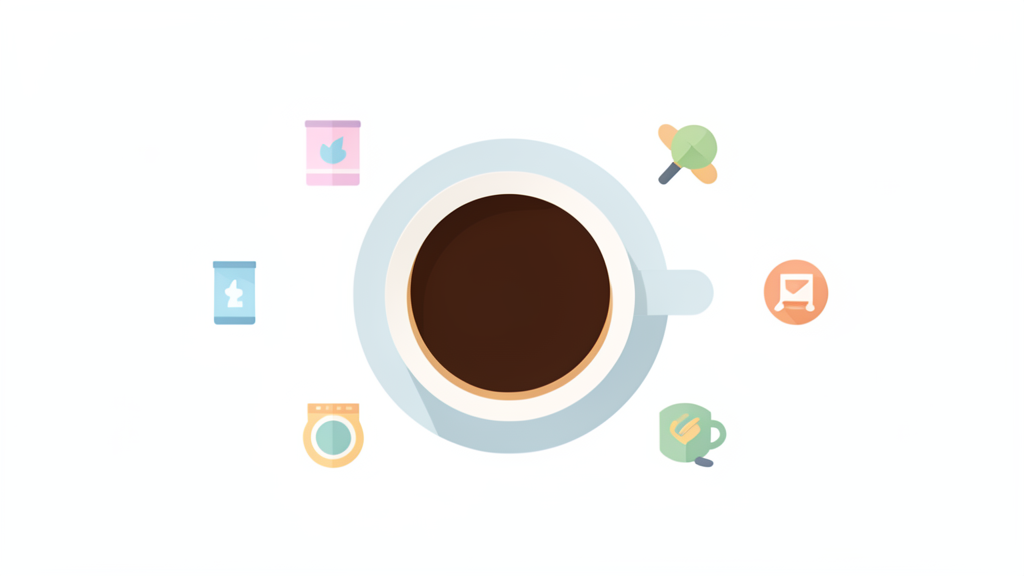
A coffee cup, flat lay vector illustration, minimalist flat design style,
clean geometric shapes, pastel color palette, white background,
no gradients, simple icons surrounding the cup,
modern corporate illustration style
Style 3: Cinematic food photography
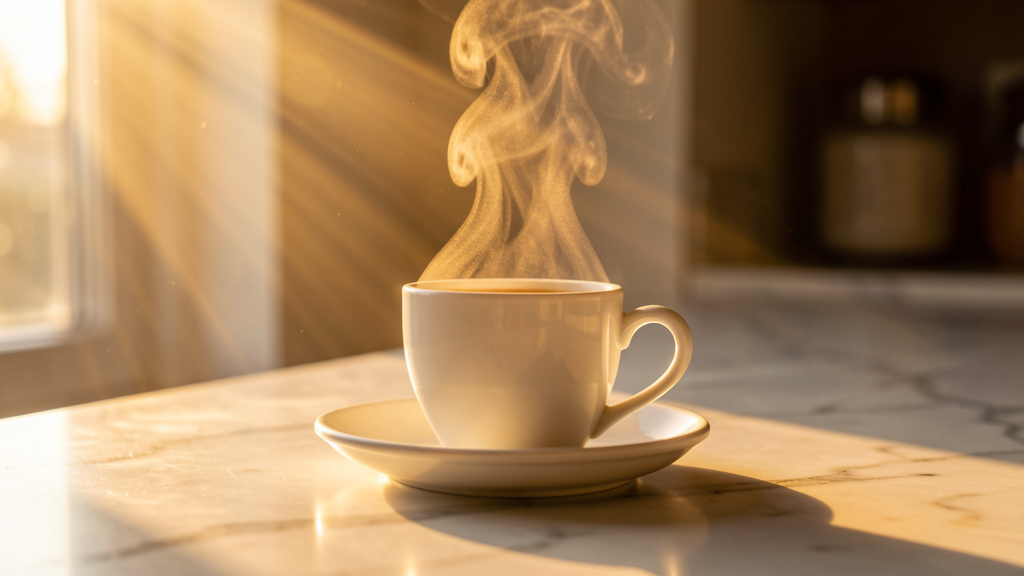
A coffee cup on a marble countertop, golden hour lighting streaming
through a window, volumetric light rays, warm cinematic tones,
shallow depth of field, rim lighting on the cup, steam rising,
professional food photography, 50mm lens, photorealistic, ultra detailed
Takeaway: Notice how the subject never changes — only the style, lighting, and composition keywords. This is the core technique for controlling your output.
Layer 2: Lighting — the mood engine
Lighting determines roughly 80% of the mood and perceived quality of an AI image. If your images look flat or amateur, the most likely fix is adding specific lighting keywords.
Lighting keyword reference
| Effect | Keywords | Best for |
|---|---|---|
| Warm & cinematic | golden hour, warm rim lighting, cinematic lighting | Lifestyle, food, brand storytelling |
| Clean & professional | soft studio lighting, three-point lighting, softbox | Product shots, headshots, corporate |
| Dramatic | chiaroscuro, dramatic shadows, low key lighting | Moody campaigns, luxury brands |
| Ethereal | volumetric lighting, god rays, backlighting, ethereal glow | Hero backgrounds, fantasy, wellness |
| Neon / tech | neon glow, cyberpunk neon, neon reflections | Tech brands, gaming, nightlife |
| Soft & natural | soft diffused light, natural lighting, dappled light | Lifestyle, outdoor, organic brands |
Pro tip: Combine
golden hourwithvolumetric fogfor an instantly professional, award-winning landscape or lifestyle look.
Layer 3: Composition — controlling the frame
Composition keywords tell the AI how to arrange elements within the image. This is especially important for marketing assets where you need space for text overlays or specific aspect ratios.
Composition keyword reference
| Goal | Keywords | Use case |
|---|---|---|
| Text overlay space | generous negative space, clean background, space for text | Social media graphics, ad creatives |
| Product focus | centered composition, shallow depth of field, bokeh background | Product photography, e-commerce |
| Cinematic feel | wide angle, establishing shot, rule of thirds | Hero images, blog headers |
| Power / authority | low angle shot, hero shot | Leadership, brand authority |
| Intimacy | close-up, extreme close-up, medium shot | Detail shots, emotional content |
| Overview | bird's-eye view, aerial view, drone shot, top-down flat lay | Process, lifestyle, food |
| Tension | dutch angle, off-center composition | Dynamic campaigns, edgy brands |
Camera lens simulation
You can mimic real camera lenses for photographic control:
| Lens keyword | Effect | Best for |
|---|---|---|
50mm lens | Natural perspective, slight bokeh | Portraits, lifestyle |
85mm lens | Beautiful bokeh, compressed background | Portraits, product |
24mm wide angle | More scene, slight edge distortion | Architecture, landscapes |
macro lens | Extreme close-up detail | Textures, product details |
fisheye lens | Spherical distortion | Dynamic, energetic content |
tilt-shift | Miniature effect, selective focus | Creative, architectural |
Layer 4: Color — palette control
Color keywords prevent muddy, inconsistent palettes. Be explicit about what you want.
| Approach | Example keywords |
|---|---|
| Temperature | warm tones, cool tones, warm cinematic gold |
| Saturation | vibrant colors, muted palette, desaturated |
| Named palettes | pastel palette, earth tones, jewel tones, monochromatic blues |
| Specific colours | deep navy and purple, coral pink and warm yellow, saffron yellow |
| Gradients | gradient from navy to teal, mesh gradient, smooth gradient background |
| Metallics | gold accents, rose gold, brushed metal, iridescent |
Layer 5: Quality & render keywords
These signal the AI to produce professional-grade output. Add them at the end of your prompt.
8k resolution, ultra detailed, sharp focus, professional photography,
award-winning, high definition, intricate details
For 3D/digital renders, you can also name render engines:
Unreal Engine 5, Octane Render, V-Ray, path tracing,
global illumination, physically based rendering
Digital marketing asset types — prompt templates
Now let’s look at specific asset types you’ll commonly need, with ready-to-adapt prompt templates and visual examples for each.
1. Website hero backgrounds
Hero backgrounds need to be visually striking but not so busy that they compete with text. The key is negative space and subtle composition.
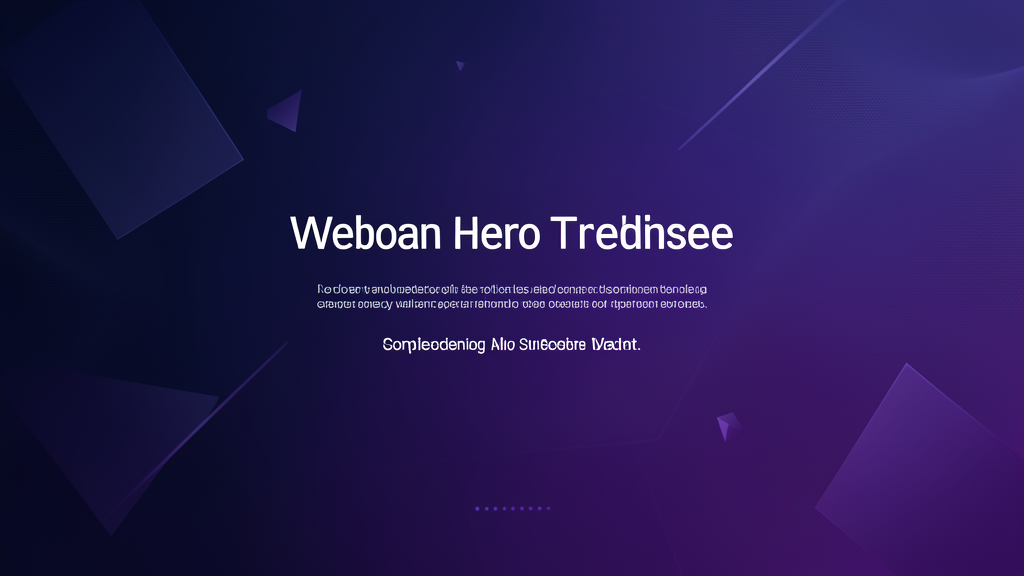
Abstract gradient background for a website hero section,
deep navy blue to purple gradient, soft mesh blending,
subtle geometric shapes floating, modern tech aesthetic,
clean minimal design, volumetric lighting effect,
8k resolution, professional digital art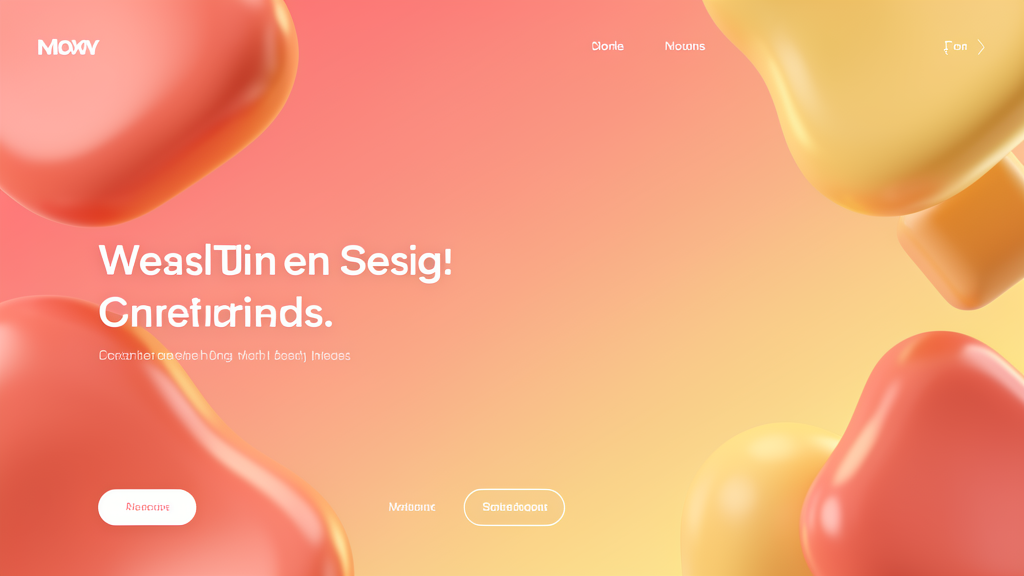
Website hero section background, abstract organic 3D shapes,
soft gradient from coral pink to warm yellow, smooth glossy material,
floating geometric forms, modern web design trend,
clean minimal composition with ample negative space for text overlay,
soft studio lighting, 8k professional digital art
Prompt template:
Website hero background, [THEME/INDUSTRY], [COLOR PALETTE],
[STYLE: abstract/geometric/organic], [LIGHTING],
clean minimal composition with ample negative space for text overlay,
8k professional digital art
2. Social media graphics (Instagram square)
Social graphics need bold visuals with space for text overlays. Use negative space and centered composition keywords.
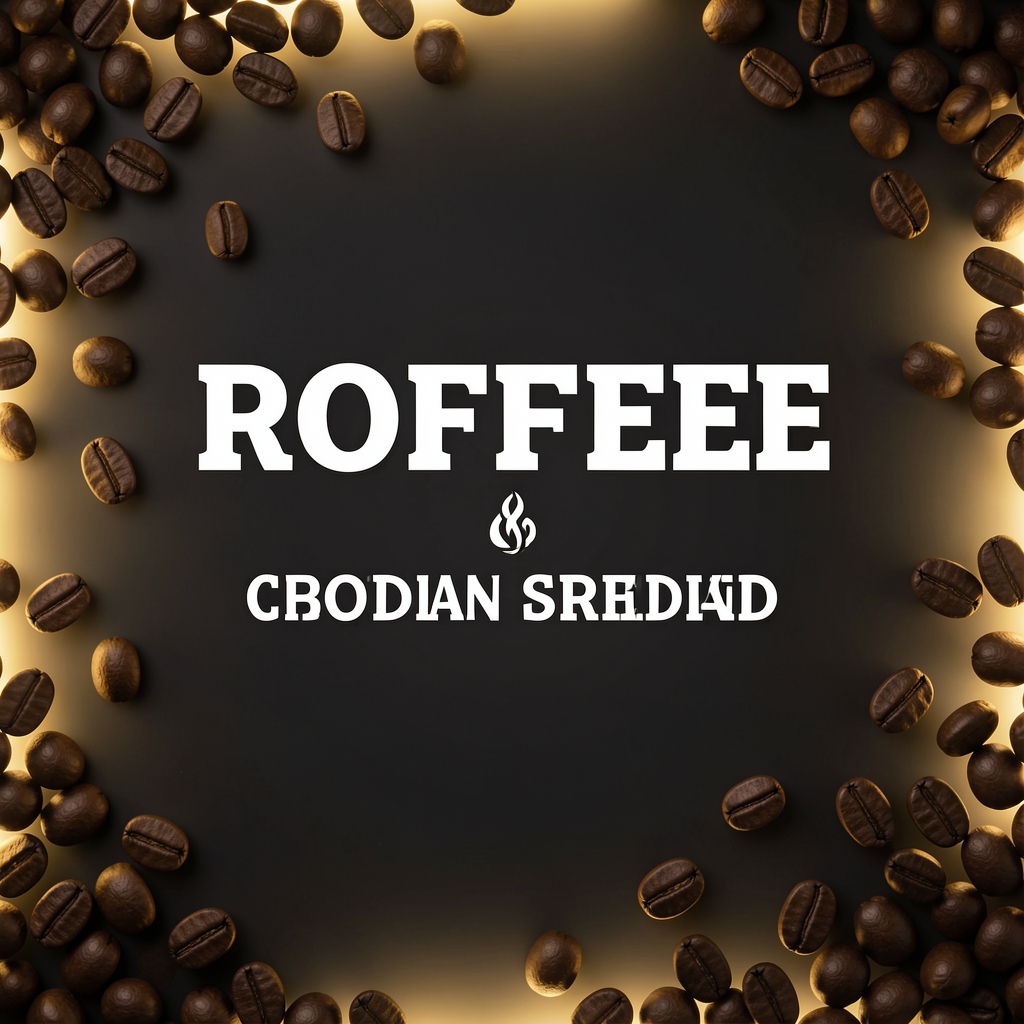
Social media promotional graphic for a coffee brand,
Instagram square format, bold typography space in center,
coffee beans scattered around edges, dark moody background
with warm golden rim lighting, product photography style,
negative space for text overlay, professional marketing visual
Prompt template:
Social media [PLATFORM] graphic for [BRAND/PRODUCT],
[ASPECT RATIO] format, [SUBJECT/SCENE],
[BACKGROUND: dark moody / bright clean / gradient],
[LIGHTING], negative space for text overlay,
professional marketing visual
3. Ad creatives (Facebook / Instagram portrait)
Ad creatives need to grab attention fast. High contrast, dynamic composition, and space for headline text.
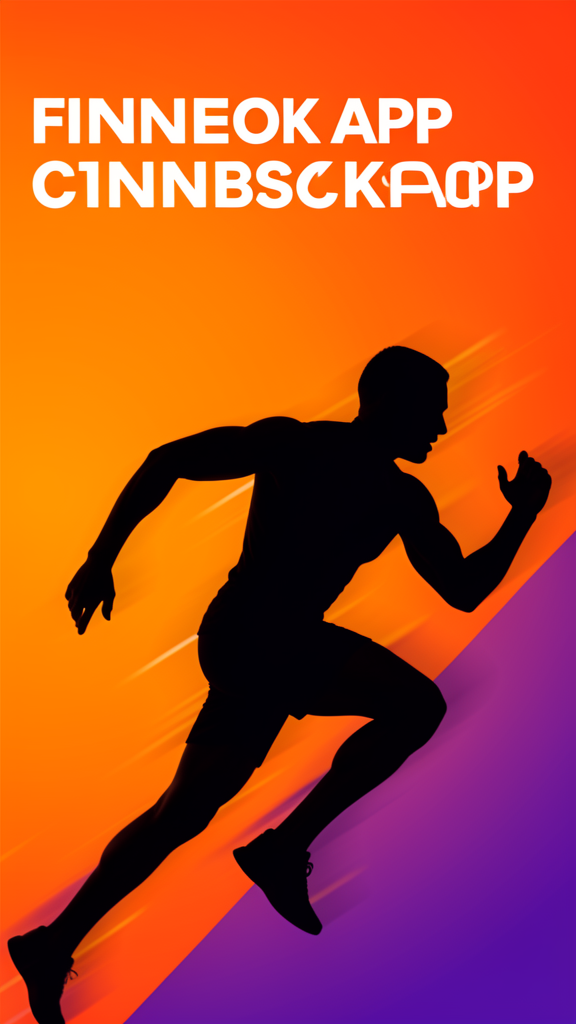
Facebook ad creative for a fitness app, portrait format,
athletic person silhouetted against vibrant orange and purple
gradient background, energetic motion, dynamic diagonal composition,
space at top for headline text, clean modern marketing design,
high contrast lighting
Prompt template:
[PLATFORM] ad creative for [PRODUCT/SERVICE],
[ASPECT RATIO: portrait/square/landscape] format,
[SUBJECT] against [BACKGROUND],
[MOOD: energetic/calm/luxurious], [COMPOSITION],
space at top for headline text, clean modern marketing design,
[LIGHTING]
4. Blog post header images
Blog headers set the tone for the article. They should be relevant, atmospheric, and not too busy.
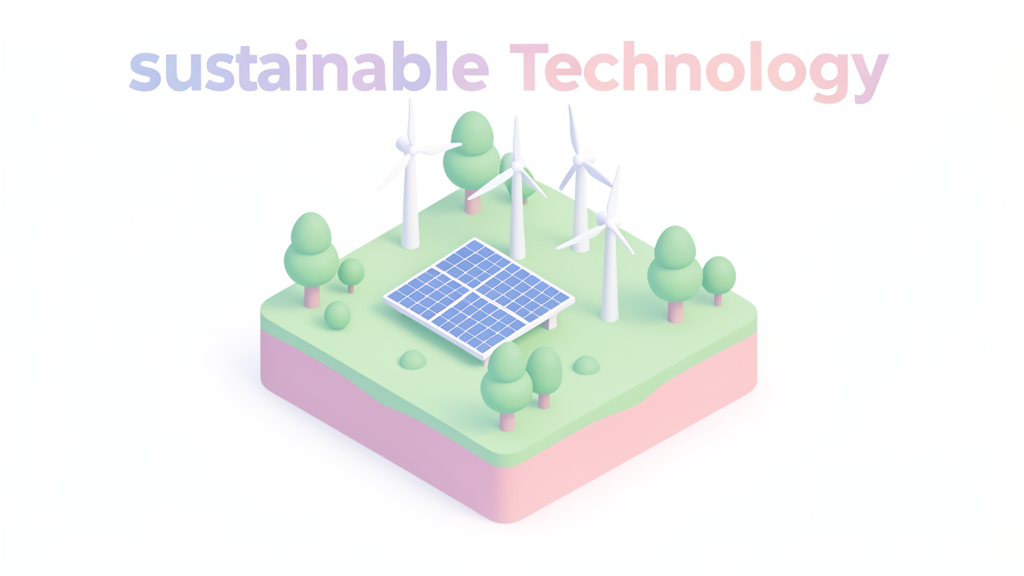
Blog post header image about sustainable technology,
isometric 3D illustration style, small floating island with
solar panels, wind turbines, and green trees,
soft pastel color palette, clean white background,
professional tech illustration, soft shadows,
modern flat 3D design
Prompt template:
Blog post header image about [TOPIC],
[STYLE: isometric 3D / digital painting / photograph],
[SCENE DESCRIPTION], [COLOR PALETTE],
[BACKGROUND], professional [THEME] illustration,
[LIGHTING], modern design
5. LinkedIn banners
LinkedIn banners need a professional, corporate feel with space on the left for your profile text.

LinkedIn banner image, professional abstract design,
dark blue and teal gradient, subtle network connection lines
and nodes, modern corporate aesthetic,
clean minimal composition with space on the left for profile text,
soft volumetric lighting, 8k digital art
Prompt template:
LinkedIn banner image, professional [THEME] design,
[COLOR PALETTE], [PATTERN/ELEMENTS: network nodes / geometric / abstract],
modern corporate aesthetic, clean minimal composition
with space on the left for profile text,
[LIGHTING], 8k digital art
6. App icons
App icons need to be simple, bold, and recognisable at small sizes. Use rounded square and minimalist keywords.

App icon design for a meditation app, rounded square format,
calm gradient background in soft blue and lavender,
simple white lotus flower icon centered,
minimalist flat design, clean, modern, app store icon style
Prompt template:
App icon design for a [APP TYPE] app, rounded square format,
[BACKGROUND: gradient/solid] in [COLORS],
simple [ICON SUBJECT] centered,
minimalist flat design, clean, modern, app store icon style
The prompt engineering workflow
Don’t try to get the perfect image in one shot. Use this iterative process:
Step 1: Explore
Write a broad prompt to explore the subject and mood. Don’t over-specify.
a coffee cup, warm lighting, professional photographyStep 2: Refine
Add layers one at a time — style, then lighting, then composition. Observe what each addition changes.
a coffee cup on a marble countertop, golden hour lighting,
product photography style, shallow depth of field
Step 3: Polish
Add quality keywords and fine-tune the colour palette.
a coffee cup on a marble countertop, golden hour lighting streaming
through a window, volumetric light rays, warm cinematic tones,
shallow depth of field, rim lighting on the cup, steam rising,
professional food photography, 50mm lens, photorealistic, ultra detailed
Step 4: Save
When you get a result you like, save the exact prompt text. Reuse it as a template for future assets in the same campaign — swap the subject, keep the style/lighting/composition for brand consistency.
Common mistakes & how to fix them
| Problem | Likely cause | Fix |
|---|---|---|
| Image looks flat and amateur | No lighting keywords | Add golden hour, studio lighting, or volumetric lighting |
| Too busy / cluttered | Too many subjects or no composition keywords | Add minimalist, generous negative space, clean background |
| Wrong style entirely | Style keyword missing or conflicting | Pick ONE style: photorealistic OR flat vector — not both |
| Muddy / inconsistent colours | No colour keywords | Add explicit palette: navy to purple gradient, warm tones |
| No space for text overlay | No composition guidance | Add negative space for text overlay, space at top for headline |
| Subject looks distorted | Conflicting lens/angle keywords | Use one camera term: 50mm lens OR wide angle — not both |
| Inconsistent across a set | Different prompts for each image | Keep style + lighting + colour identical, change only the subject |
Quick reference: the master keyword library
Copy-paste these into your prompts. Mix and match — but pick only one or two from each category per prompt.
Lighting
golden hour, blue hour, volumetric lighting, god rays, soft studio lighting,
three-point lighting, rim lighting, backlighting, dramatic shadows,
chiaroscuro, neon glow, cyberpunk neon, bioluminescent, soft diffused light,
hard light, lens flare, light rays, dappled light, ethereal lighting,
moody lighting, atmospheric lighting, candlelight, moonlight, street lighting
Camera & composition
wide angle, macro lens, telephoto lens, fisheye, tilt-shift, bokeh,
shallow depth of field, deep focus, aerial view, drone shot, bird's-eye view,
worm's eye view, low angle, high angle, dutch angle, close-up, extreme close-up,
medium shot, establishing shot, cinematic composition, rule of thirds,
golden ratio composition, centered composition, symmetrical framing,
leading lines, 50mm lens, 85mm lens, 24mm lens, negative space
Style & medium
photorealistic, hyperrealistic, professional photography, product photography,
flat vector illustration, minimalist flat design, geometric shapes,
isometric 3D, low poly, digital painting, concept art, matte painting,
oil painting, watercolor, gouache, linocut, charcoal, pencil sketch,
pixel art, voxel art, anime style, comic book art, art deco, art nouveau,
vaporwave, cyberpunk aesthetic, steampunk, minimalism, memphis design
Colour & palette
warm tones, cool tones, pastel palette, earth tones, jewel tones,
vibrant colors, muted palette, monochromatic, gradient, mesh gradient,
navy and teal, coral and gold, deep blues, warm cinematic gold,
neon colors, iridescent, metallic, rose gold, brushed metal
Quality & render
8k resolution, 4k, ultra detailed, highly detailed, intricate details,
sharp focus, professional photography, award-winning, HD, UHD,
Unreal Engine 5, Octane Render, V-Ray, path tracing, global illumination,
physically based rendering, subsurface scattering
Atmosphere & mood
misty atmosphere, foggy, hazy, volumetric fog, atmospheric perspective,
depth haze, smoke, ethereal, serene, energetic, moody, dramatic,
minimalist, luxurious, playful, professional, cinematic, nostalgic,
futuristic, organic, clean, modern, bold
Aspect ratio guide by platform
Different platforms need different aspect ratios. Most AI generators accept aspect ratio parameters.
| Asset type | Platform | Aspect ratio | Common name |
|---|---|---|---|
| Instagram feed post | 1:1 (square) | Square | |
| Instagram story / reel | 9:16 (portrait) | Vertical | |
| Facebook feed post | 1.91:1 (landscape) | Link preview | |
| Facebook / Instagram ad | Meta Ads | 4:5 (portrait) | Portrait ad |
| Twitter/X post | X | 16:9 (landscape) | Wide |
| LinkedIn post | 1.91:1 (landscape) | Link preview | |
| LinkedIn banner | 4:1 (ultra-wide) | Cover photo | |
| Website hero | Web | 16:9 or 21:9 | Hero / banner |
| Blog header | Web | 16:9 or 3:2 | Article header |
| App icon | App stores | 1:1 (square) | Icon |
| YouTube thumbnail | YouTube | 16:9 (landscape) | Thumbnail |
Putting it all together — a worked example
Let’s say you need a set of three images for a sustainable coffee brand’s Instagram campaign. You want them to look consistent. Here’s the approach:
Step 1: Define the consistent elements (style + lighting + colour + mood):
Style:    warm product photography
Lighting: golden hour, rim lighting
Colour:   warm earth tones, deep browns and cream
Mood:     cozy, artisanal, premium
Quality:  8k, photorealistic, shallow depth of field
Step 2: Write three prompts that share those elements but vary only the subject:
Image 1: A ceramic pour-over coffee dripper on a wooden table,
         golden hour, rim lighting, warm earth tones, cozy artisanal
         premium mood, shallow depth of field, photorealistic, 8k

Image 2: A hessian bag of coffee beans spilling onto a rustic tray,
         golden hour, rim lighting, warm earth tones, cozy artisanal
         premium mood, shallow depth of field, photorealistic, 8k

Image 3: A latte in a stoneware mug with latte art, on a linen cloth,
         golden hour, rim lighting, warm earth tones, cozy artisanal
         premium mood, shallow depth of field, photorealistic, 8k
The result: three visually consistent images that look like they belong to the same brand — because the style, lighting, colour, and mood keywords are identical.